Offline camera diagnosis
We trace the fault from the camera back to the switch and recorder.
We find the real cause of offline cameras, missing footage, and failed recorders, then fix it.
A camera that fails during an incident costs you evidence. Our technicians test the whole chain, from lens to cable to recorder. One repair then solves the problem for good.
 Full signal-chain diagnosis NVR and drive recovery checks
Most camera failures come from a few causes. A bad cable, a dead PoE port, a full drive, or a new password can take a camera offline.
We test in order. First we check power. Then we check the network link, the camera, and finally the recorder. This method avoids swapping parts that still work.
If a repair costs more than a replacement, we say so. You decide with clear facts in hand.

We handle both the camera and everything behind it.
We trace the fault from the camera back to the switch and recorder.
We check drives, firmware, and settings, and replace failed storage.
We re-terminate damaged ends and replace bad runs after testing them.
We confirm each port delivers the power the camera needs.
We clean lenses, reset focus, and re-aim cameras that have drifted.
We restore access and set strong, unique credentials.
Every camera depends on a chain of parts. A break anywhere in the chain looks the same on screen: no picture.
Water ingress, failed IR, or a loose lens cause dark or blurry video.
Cuts, bad crimps, and runs longer than 100 meters cause drops.
An overloaded power budget or failed port cuts power to cameras.
Full or failed drives stop recording even when live view works.
Act early. Small faults often grow into full outages.
The camera has lost power, link, or its video stream.
Weak cable, network congestion, or a failing port often causes this.
Infrared lights fail, or glass and spider webs reflect the glow.
A drive fault or full storage needs attention right away.
Locked-out systems still need a safe reset path.
Wrong clocks weaken footage as evidence. Time sync settings fix it.
Good tools find faults fast and prove the fix worked.
We test continuity, wire map, and length so a bad run never hides behind a good camera.
We measure delivered power against IEEE 802.3af, at, or bt limits.
We check IP addresses, VLANs, and bandwidth for conflicts and congestion.
We read drive status and replace units that report errors or reach their wear limits.
We check firmware versions and apply updates that fix known security flaws.
A portable monitor lets us view and focus a camera right at its mount.

Downtime hurts every site. Priorities differ.
Register and stockroom cameras must record all day.
Long cable runs and weather exposure cause frequent faults.
Entry and parking cameras support staff safety.
Shared lobbies and garages need reliable footage for incident reviews.
Outdoor cameras face heat, dust, and sun glare.
Volunteer-run systems often lose passwords and settings.
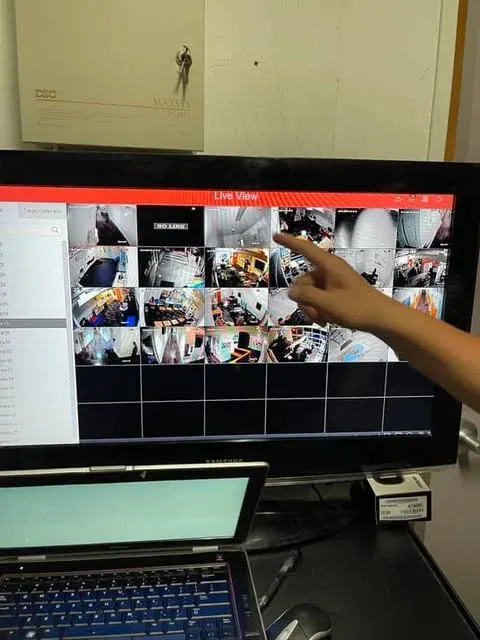
These quick checks help us arrive prepared.
Write down camera names or locations and when each failed.
Look for drive, disk, or network error messages.
Check for cut cables, water, and broken mounts.
Router changes, power outages, and new equipment often explain sudden faults.
Have recorder and camera credentials ready if you still have them.
Export video you need before any drive work begins.
We follow common standards so repairs stay safe and lasting.
IEEE 802.3af, at, and bt define how much power each camera port can supply.
TIA-568 sets termination and testing practice for twisted-pair links.
The National Electrical Code guides safe low-voltage and power work.
ONVIF profiles help mixed-brand cameras and recorders work together.
Some federal rules restrict certain camera brands. We flag affected devices.
Avoid these habits when your cameras act up.
Pair this service with other systems that share the same cabling and network.
IP and PoE camera systems with NVR recording and remote viewing.
Dependable Security Camera InstallationKeycard, mobile, and biometric entry with audit logs for every door.
Secure Access Control SystemsTested Cat6, Cat6a, and fiber cabling with clean racks and labels.
Complete Structured Cabling for BusinessesManaged switches, VLANs, firewalls, and business Wi-Fi.
Quality Networking ServicesWe send technicians to business sites in these Southern California areas.
Offices and retail sites with aging camera systems.
Storefronts and corporate buildings near central Glendale.
High-rise suites that need quiet, fast service.
Warehouses and industrial yards near the airport.
Studios and offices with mixed legacy equipment.
Need service elsewhere in Southern California? See the full Los Angeles service area coverage, or read our low-voltage security and network guides.
These Google reviews come from customers of our Los Angeles low voltage services.
Quick answers about camera and recorder problems.
The most common causes are lost power, a bad cable, a failed switch port, or a changed network setting. We test each in order to find the real cause.
In most cases, yes. We work on many camera and recorder brands. We confirm the equipment during the diagnostic visit.
Replace when the camera is very old, damaged beyond repair, or no longer gets security updates. Repair when the fault is in power, cable, or settings.
Sometimes. Results depend on the failure type. Stop using the recorder and contact us before any drive is reformatted.
The drive may be full, failed, or set to the wrong recording mode. We check storage health and retention settings.
Yes, where the manufacturer allows it. We confirm ownership of the system first, then set secure new credentials.
Often. Dirty lenses, glare from nearby glass, and failed infrared lights are common causes, and each has a fix.
Send us the camera names, error messages, and your site address. We will plan the fastest path back to full coverage.
Mon - Sat: 8:00 AM - 8:00 PM


